DAT207x - Analyzing and Visualizing Data with PowerBI

·230 words·2 mins
Table of Contents
MPPDS - This article is part of a series.
Part 4: This Article

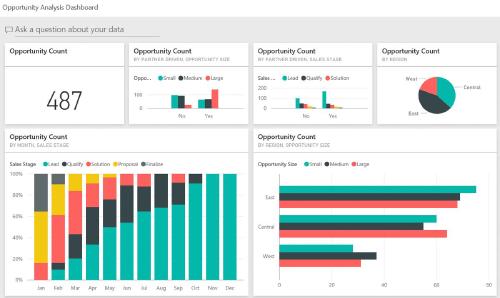
The course “Analyzing and Visualizing Data with PowerBI” is devoted to showing the capabilities of this Microsoft tool. For those who have worked previously with Excel, Microsoft Access or SQL Server Reporting Services – the video demonstration of PowerBI capabilities will cause you to repeatedly think “wow – that is slick.” As an example, pictured below is one of the dashboards created as part of the course.
featured.jpg
 

Analyzing and Visualizing Data with PowerBI
#

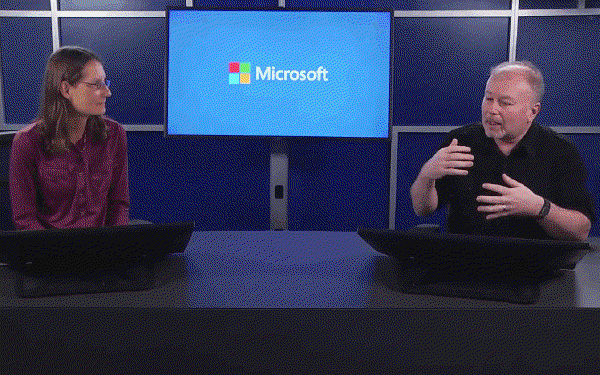
The course is composed of approximately 120 videos whose duration varies from 1-5 minutes. There are 4 different people presenting and the video content is quite good. The pace of content is well measured and the videos nicely support the lab materials. This is a really enjoyable course outlining capabilities of an innovative tool.

PowerBI_trainer.gif

A summary of topics covered is available via this link in the edX site. In terms of course credit, 65% is determined by completion of the labs, 30% for quizzes, and a stray 5% for completing a survey. All told, I spent 22 hours viewing the videos, doing some outside reading, and completing the labs and quizzes.

If you are interested learning more about PowerBI, I would encourage two supplements to topics covered in this course:

Jonathan Bartleson
Author
Jonathan Bartleson
MPPDS - This article is part of a series.
Part 4: This Article

Related

DAT201 - Querying with Transact-SQL

·643 words·4 mins
Following the breezy orientation course, the Microsoft Professional Program for Data Science curriculum digs into the Microsoft dialect of SQL known as Transact-SQL. This course briefly addresses updating data, stored procedures, transactions and error handling – but the bulk of the course concerns extracting data from SQL Server. This is the 2nd in a 10-part online course sequence for which I’m documenting my experience for others. The course title is “DAT201x: Querying with Transact-SQL” Querying with Transact-SQL # Transact-SQL gives you a lot of dexterity for pulling out data and the video series covers these topics comprehensively if not very deeply. All standard features of SELECT (where, group by, having clauses) but also topics like joins/intersect/except, correlated sub-queries, common-table expressions, grouping sets, and rollup/cube topics are included.

DAT101 - Data Science Orientation

·377 words·2 mins
“Data Science Orientation” is the first class in the Microsoft Professional Program (MPP) for Data Sciences. This class is a warm-up exercise for the larger program. It outlines the 10-part certificate process and introduces you to five current data scientists who answer questions about their career. Are you wondering what skills and personality traits will help you succeed as a data scientist? The professional interviews offer practical insight on those topics. The enthusiasm these persons have for their career is contagious. Hearing them speak is just the sort of encouragement one needs while embarking on the MPP courses. Videos in the Data Science Orientation # The video sequence then walks you through the fundamentals of statistics. Topics covered include variable types, populations versus samples, descriptive statistics, variance, correlation, T-tests and ANOVA. The authors use a fictional example of a lemonade stand to explain the topics. This part of the video sequence was just “ok”. If you’ve had prior statistics coursework – the treatment here may help jog your memory on topics. I found the presentation of these technical topics to be a bit “clouded” in their delivery. As part of the class, they provide a PDF study guide. It gives you an accurate sense of the statistics topics covered in this class. It emphasizes the calculation of measures more than the practical uses of measures. The class assessment consists of a dozen multiple choice questions and an Excel-based lab with questions.